
Negative marking is what separates a practice quiz from a real mock test. Without it, guessing costs nothing and scores look better than they will on exam day. This guide explains how negative marking works in Indian competitive exams and how to set it up in WordPress at three levels: per quiz, per section and per question.
How the major exams penalise wrong answers
| Exam | Marks per correct answer | Penalty per wrong answer |
|---|---|---|
| SSC CGL Tier 1 | +2 | −0.50 |
| IBPS PO Prelims | 100 marks over 100 questions, varying by section | −¼ of the question’s marks |
| UPSC Prelims GS Paper I | +2 | −0.66 (one third) |
| NEET UG | +4 | −1 |
| JEE Main | +4 | −1, on MCQ and numerical questions |
| CSIR-NET Life Sciences | +2 / +2 / +4 (Parts A, B, C) | −0.5 / −0.5 / −1 |
| GATE | +1 or +2 | MCQ −⅓ or −⅔; none on MSQ or numerical |
Level 1: Negative marking on a quiz
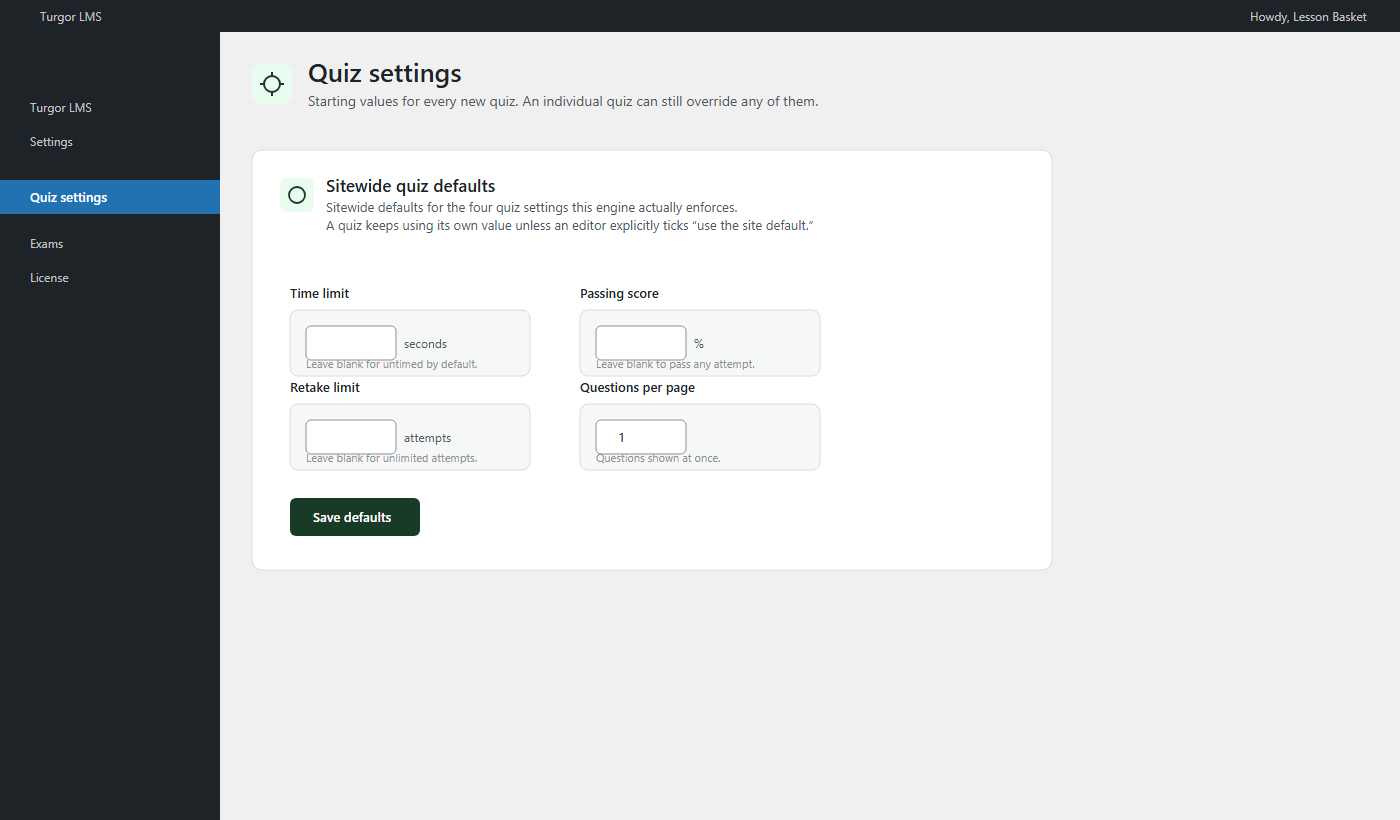
The free Turgor Exam Engine quiz engine supports negative marking, time limits, retake limits and question shuffling, set per quiz or as sitewide defaults. This is enough for chapter tests where every question carries the same penalty.
Level 2: A different penalty per section
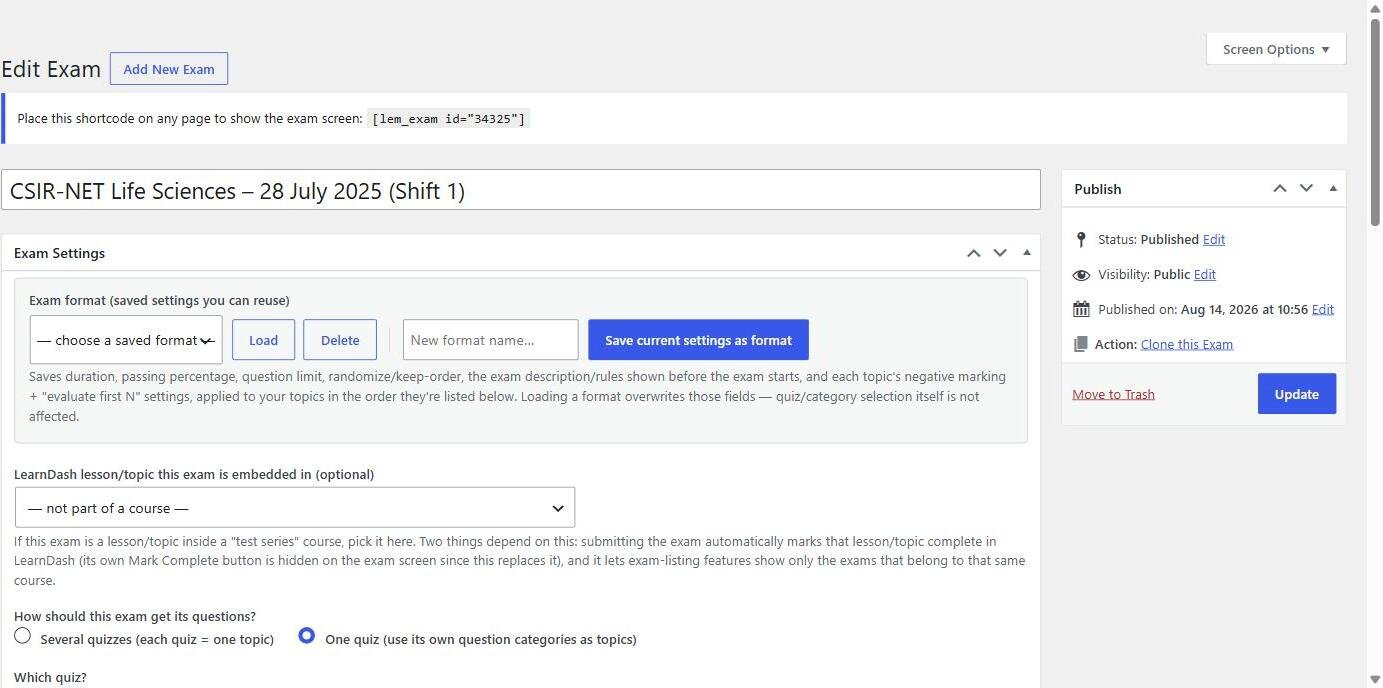
Real papers penalise sections differently. In a Turgor Exam Engine Pro exam, each section (topic tab) has its own “marks deducted per wrong answer”. For CSIR-NET you would set −0.5 for Part A, −0.5 for Part B and −1 for Part C. Combine it with “evaluate first N answered” so only the first 15, 35 and 25 answers in each part are graded, as the real exam does.
Level 3: A penalty on individual questions
GATE mixes question types in one section: MCQs carry a penalty, multiple-select and numerical questions don’t. Set a negative mark on the question itself and it overrides the section’s rate. The easiest way is the negative_points column in your import spreadsheet: write the penalty as a positive number (0.33 for −⅓), or 0 for questions with no penalty.
Common mistakes
- Typing the penalty as a negative number in the spreadsheet. Write it as a positive number; the engine subtracts it.
- Forgetting that unanswered questions score zero. Only a wrong answer is penalised.
- Rounding ⅓ to 0.3. Use 0.33 or 0.333 so totals match the official key.
- Mixing up “marks per question” and “penalty per question” columns when a section has 2-mark questions.
Showing students what negative marking cost them
After each attempt students see their score, correct and wrong answers, topic-wise breakdown, class average and percentile. The Student Dashboard tracks the trend across retakes, which is where students learn to stop guessing.
Built for real exam patterns
Everything a coaching institute asks for
The checklist institutes send us before they switch, and how Turgor Exam Engine covers each item.
| Your requirement | Turgor Exam Engine |
|---|---|
| Create courses and lessons | Yes Free Drag-and-drop course builder with lessons, videos and quizzes. |
| Divide an exam into sections | Yes Free Name each section and assign questions to it. |
| Shuffle questions within each section | Yes Free Shuffling never mixes sections, so the paper keeps its structure. |
| Draw a set number of questions from each section | Yes Exam Mode Question limit per section, picked fresh for every attempt. |
| Different marks for each section | Yes Exam Mode For example +1 in one section and +2 in another. |
| Different negative marking for each section | Yes Exam Mode Turn it on or off and set the deduction section by section. The free plugin sets it per quiz or per question. |
| A separate timer for each section | Yes Exam Mode Each section closes when its time runs out, as in SSC CGL and IBPS PO. |
| Sectional cut-off marks | Yes Exam Mode A minimum score per section, in marks or as a percentage. |
| “Only the first N answers count” (CSIR NET rule) | Yes Exam Mode Set how many answered questions are evaluated in each section. |
| Section-wise results | Yes Exam Mode Score, correct, wrong and skipped for every section, plus answer-by-answer review. |
| Questions in English plus another language | Yes Exam Mode Add a second language to any question, such as Hindi, Tamil, Bengali or Marathi. Students switch between the two during the exam. |
| A real computer-based exam screen with question navigation | Yes Exam Mode Question palette, mark for review, countdown and a GATE-style calculator. |
Free in Turgor Exam Engine on WordPress.orgExam Mode needs the Exam Mode add-on (Pro)
See Exam Mode in action
- Parts A, B and C as separate tabs
- Attempt any 15, 35 and 25: only those answers count
- Different marks and negative marking for each part
- Fullscreen exam screen with question palette
- General Aptitude, Chemistry and five optional sections
- 122 questions in one full-length paper
- Question palette and mark for review
- Fullscreen exam screen with a countdown timer
Frequently asked questions
Can I turn negative marking off for practice papers?
Yes. It is set per quiz and per section, so leave it at zero wherever you don’t want it.
Does negative marking work with multiple-select questions?
Yes: set the question’s own penalty, or 0 if the exam doesn’t penalise that type.
Can I use decimal marks?
Yes. Marks and penalties are numbers, so values such as 0.25, 0.33 or 0.5 work.
Related guide: Reading Mock Test Results: Section Analysis That Helps Students Improve